HubSpot vs Salesforce: Where the Handoff Breaks
Most SaaS companies don't have to choose between HubSpot and Salesforce, they already have both. HubSpot runs inbound marketing, lead capture, and nurturing. Salesforce drives pipeline management, sales execution, and reporting. Used well together, they answer the questions that actually matter: How many MQLs came in this month? How many became opportunities? Which campaigns drove pipeline?
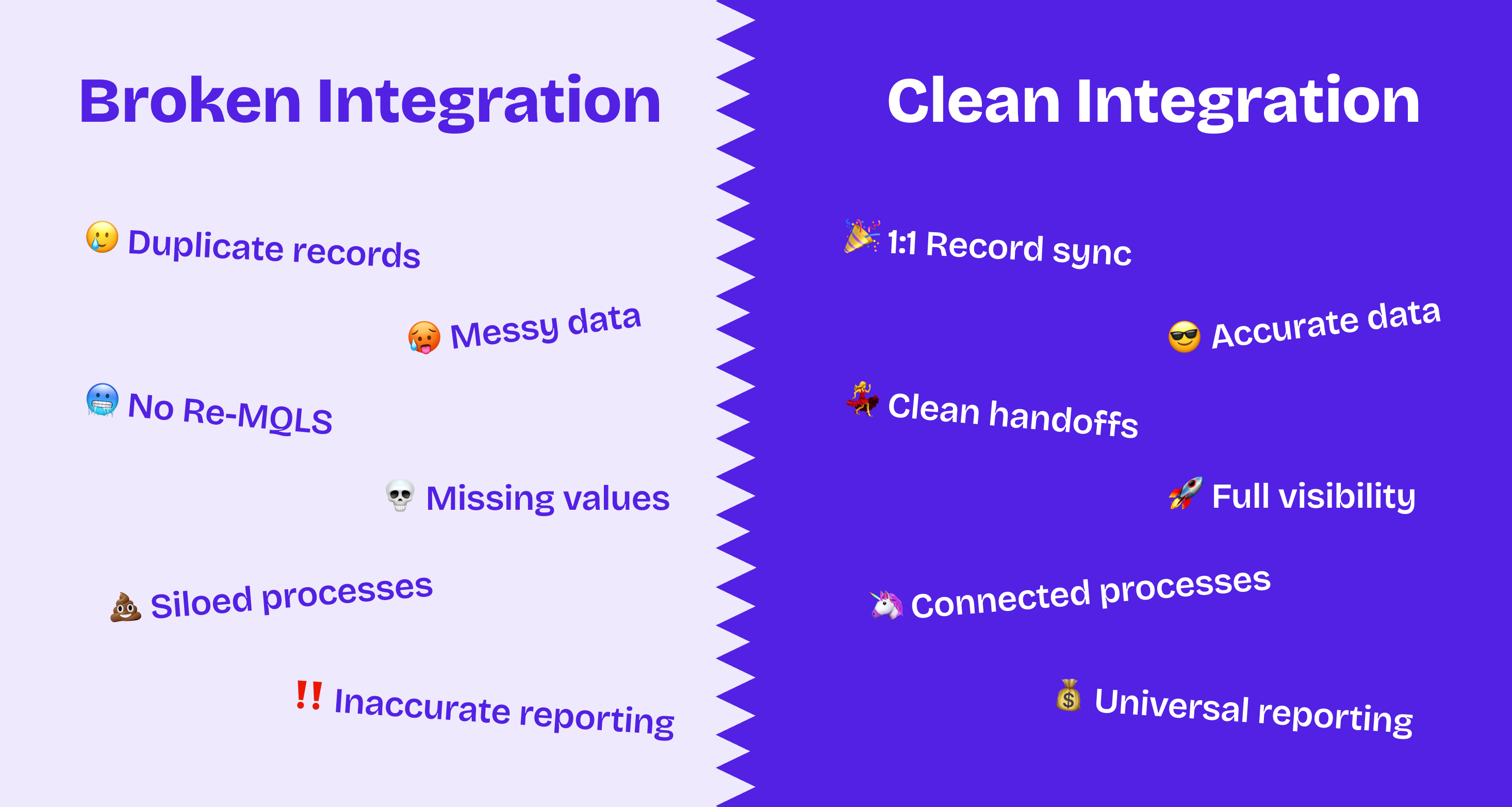
Used poorly together, they produce reports that don't match, leads that fall through handoffs, and leadership teams who've stopped trusting either system.
After running this integration across dozens of SaaS clients, Mark Spellman, Candybox's Head of Delivery, is direct about what he observes: "I have not inherited a new project where I've seen this done well yet."
That's not a knock on the tools. It's a diagnosis of how they're typically deployed.
Why Silos Happen between Hubspot and Salesforce
The silo problem gets blamed on organizational dynamics like marketing versus sales, different definitions of success, the classic MQL versus SQL disconnect. Those dynamics are real, but underneath all of them is something more structural.
"HubSpot is always just so owned by marketing," Spellman says. "People on the RevOps and sales ops side don't freaking care about HubSpot." Without someone who understands both systems and holds responsibility for how they interact, each tool evolves independently. Marketing configures HubSpot the way HubSpot wants to be configured. Sales builds what Salesforce supports by default. Nobody architects the integration as a system.
We've inherited accounts from other partners where this plays out in a specific way: the previous agency was technically excellent. Theynew HubSpot deeply, built clean workflows, but had no working knowledge of how the rules change once HubSpot is connected to Salesforce. What HubSpot wants to do and what Salesforce needs it to do are not the same thing. When nobody bridges that gap, the integration reinforces the silos instead of removing them.
The Integration is Harder Than it Looks
The HubSpot-Salesforce connector is a full app within HubSpot, and it's more sophisticated than it appears. Beyond its own sync configuration, some settings carry consequences that are far from obvious in the UI, it's capable of running automations that write directly into Salesforce records. HubSpot workflows can push data into Salesforce, update fields, and create records. That's a significant amount of power, and it's easy to misconfigure.
The classic example is a toggle that overwrites Salesforce field values with HubSpot values. Enabling it in the wrong context will silently wipe out fields that sales reps depend on. A workflow misconfiguration can flood Salesforce with junk leads or overwrite records at scale. These aren't edge cases, they're the issues we encounter on almost every integration audit we run, often with no error message anywhere.
Where the HubSpot Salesforce Integration Breaks
Routing: When the Logic Lives in the Wrong Place
Routing failures happen in one of two ways: leads go to the wrong rep, or they don't go anywhere at all. The second failure is less visible and more damaging as there's no alert, no bounce, and the lead just sits in a queue nobody's watching.
The most common cause in the HubSpot-Salesforce-Chili Piper stack isn't a broken connection. It's routing logic that's been built inside the routers themselves rather than handled upstream in Salesforce.
A recent example: a client's Chili Piper setup had every segment's employee range hard-coded into each individual router. SMB was 11–250 employees, mid-market was 251–1,000, enterprise above that, all duplicated across every routing rule. The problem was that LinkedIn lead ads send employee count as a range string (like "201-500"), not an integer. The router logic couldn't match it, and leads from LinkedIn campaigns were quietly falling through to a catch-all or not routing at all.
The fix wasn't in Chili Piper, it was upstream in Salesforce. We moved segment classification out of the routers entirely: Salesforce now evaluates incoming contact data and stamps a segment field (SMB, mid-market, or enterprise). Chili Piper routers look at one field. The routing logic collapsed from dozens of conditional branches to a handful of simple lookups, and routing became reliable across every lead source regardless of how the data arrived.
The principle generalizes: over-specifying logic inside routers is how routing breaks. Centralizing classification in Salesforce (where you control the data model) is how it stays reliable.
Lifecycle Stages: HubSpot's Model Doesn't Survive the Connection
HubSpot's native lifecycle stage field works well enough in a HubSpot-only environment. Once Salesforce enters the picture, it stops working the way you'd expect.
The most visible limitation: HubSpot lifecycle stages can't move backwards. A contact who reached MQL, was worked by sales, and then went dark cannot be reset to MQL when they re-engage six months later. They're just a stale MQL or a lost lead, invisible to the routing and nurturing workflows that should be picking them up again.
"HubSpot has this concept of a lifecycle stage field that it really pushes you to use," Mark says. "But that concept doesn't work in a world where your HubSpot is connected to Salesforce, because the requirements and rules change when you do that."
Our approach is to rebuild lifecycle tracking in Salesforce using a custom contact stage framework that can move in any direction: Marketing Engaged Lead → MQL → SAL → SQL → SAO → Customer. Every stage transition gets a date stamp on the contact record. When a lead disengages and re-engages months later, they re-enter as a fresh MQL and go back through the full routing and nurturing sequence. Nothing from the first pass is lost because the previous dates are preserved and nothing is invisible because the re-engagement fits the stage model cleanly.
Attribution: Marketing Data Doesn't Live Where Revenue Data Lives
The reporting gap between HubSpot and Salesforce is where attribution collapses. Marketing sees clicks, campaign conversions, and form fills in HubSpot. Sales sees pipeline, close rates, and revenue in Salesforce. The connection between the two, which is basically which campaigns produced which opportunities, doesn't exist unless you deliberately build it.
The typical workaround is to pick Salesforce as source of truth and push over what's needed from HubSpot. This is fragile in a specific way: if an MQL date is stored as a stamped field on a contact record, it can be overwritten or deleted. If a campaign member record gets removed to fix an error, the attribution data disappears with it. Each of these small data quality issues erodes confidence in the reports, and that confidence is hard to rebuild once it's gone.
What we're building for clients now goes a level deeper. Instead of stamping dates directly on contact records, we derive attribution data from child objects. MQL campaigns are flagged in HubSpot. When a contact is added to an MQL-flagged campaign, the MQL date is derived from the campaign membership record itself and not from a field someone manually set. We also build a custom lifecycle stage object in Salesforce: each time a contact moves through the funnel, a new lifecycle record is created with a timestamp and all associated campaign data. When that contact goes lost and re-engages, a new lifecycle record is created for the new engagement pass. The old records stay intact and queryable.
The result is a complete history of every funnel pass a contact has taken, with campaign attribution attached to each one. You can feel confident that you're reporting data because it's all dependent on the lowest level of data. If the child records are correct, everything else rolls up correctly from there.
This also solves re-MQL tracking cleanly. Rather than clearing and restamping a date field which loses the previous history, each re-engagement creates a new lifecycle record with its own timeline and associated campaigns. You can report on first-touch MQL separately from re-MQL, and you can see which campaign brought the contact back.
What Good Likes Like
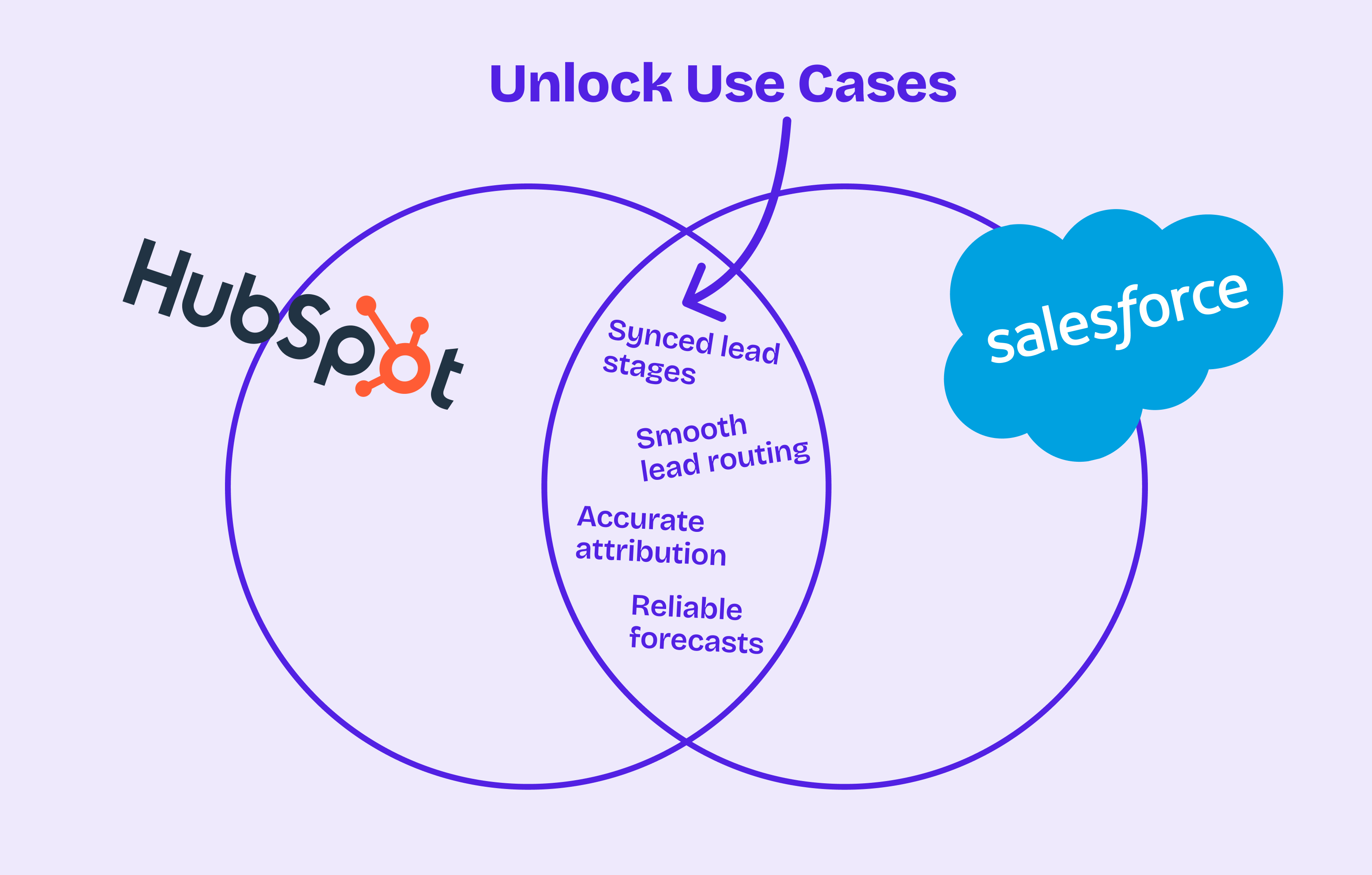
When the integration is working and routing logic is centralized in Salesforce, lifecycle stages are mirrored and date-stamped, attribution derives from campaign membership records, the questions that boards and leadership teams ask become answerable in minutes.
"Show me how many MQLs came in this month" is one report. "Show me how many MQLs became opportunities" is a lifecycle stage conversion. "Which campaigns drove the most pipeline" is the campaign-to-lifecycle-object relationship. We've pulled a version of this together for a client in a day after getting access to both systems. The infrastructure was the hard part; once it was built, the reports were straightforward.
What changes day-to-day is less dramatic but equally important. When data can be trusted, people stop auditing it. Managers pull a report and act on it rather than spending an hour checking individual records for anomalies. Reps see a lifecycle stage they believe. Marketing stops defending their numbers against sales numbers that tell a different story.
How We Fix It
Data and field mapping.
HubSpot and Salesforce store data differently, and the sync is sensitive to mismatches in field types and character limits. Before touching any sync settings, we build a full field mapping inventory and configure the integration to protect Salesforce data from being overwritten by HubSpot.
Lead and contact management.
Without defined ownership, a HubSpot contact and a Salesforce lead for the same person accumulate quickly. Attribution splits, account health misrepresents, reps work partial records. We define Salesforce as the source of truth, route HubSpot contacts into Salesforce through controlled workflows only, and apply deduplication logic so every record has a clear owner.
Reporting architecture.
Marketing attribution in HubSpot doesn't connect to Salesforce pipeline without deliberate infrastructure. We replicate lifecycle data in Salesforce with a custom object, date-stamp every stage transition derived from child records, and tie HubSpot campaigns to Salesforce campaigns so pipeline can be traced back to channel and touch.
User adoption.
Even a correctly configured system fails if the people using it don't understand how it works. We train SDRs and AEs on how lifecycle stages flow across both systems, give Salesforce users visibility into HubSpot engagement data, and build processes around the integrated stack rather than asking users to trust something that hasn't been explained to them.
Advanced Use Cases Once the Foundation Is Solid
Lead lifecycle tracking.
A contact-first framework with custom stages in Salesforce (MEL → MQL → SAL → SQL → SAO → Customer) with date stamps on every transition, including re-MQLs. One client was running on HubSpot's default lead lifecycle stage and could never reset a re-engaged prospect back to MQL so those contacts were invisible to sales. We introduced the custom stage framework in Salesforce with re-MQL support, and within weeks marketing could report on true conversion rates by cohort while sales stopped missing re-engaged leads.
Lead routing.
HubSpot captures intent and prepares the record; Salesforce owns assignment and the sales motion. Segment classification lives in Salesforce so lead router logic stays simple; Chili Piper or round-robin assignment handles the last mile. Speed-to-lead improves not because the router is faster, but because the logic is reliable enough that leads stop falling through.
Marketing attribution.
Salesforce as source of truth, lifecycle mirrored with a custom object, dates derived from campaign membership records rather than stamped fields, HubSpot campaigns tied to Salesforce campaigns. One client couldn't trace which demand gen plays were producing pipeline, so their marketing attribution reports were not accurate at all.. After we implemented the lifecycle object with per-stage timestamps tied to campaigns, they could run clean cohort reporting and reallocate budget based on which channels actually converted.
Renewals and expansion.
Syncing subscription data so CSMs see account health in Salesforce while marketing runs re-engagement campaigns in HubSpot, triggered by usage signals or renewal proximity.
We Know SaaS
The technology isn't the hard part. The HubSpot-Salesforce integration works well when it's configured with a clear understanding of which system owns which responsibility at each stage of the funnel. It fails when teams treat it as infrastructure they can stand up once and leave alone.
What requires expertise: knowing which configuration settings carry downstream consequences, understanding how to build lifecycle architecture that handles re-engagement without losing history, and recognizing when routing logic is trying to do Salesforce's job for it. These aren't things that surface in the documentation. They surface after you've seen them go wrong.
Contact Us to get help with your Hubspot + Salesforce tech stack.


.png)